
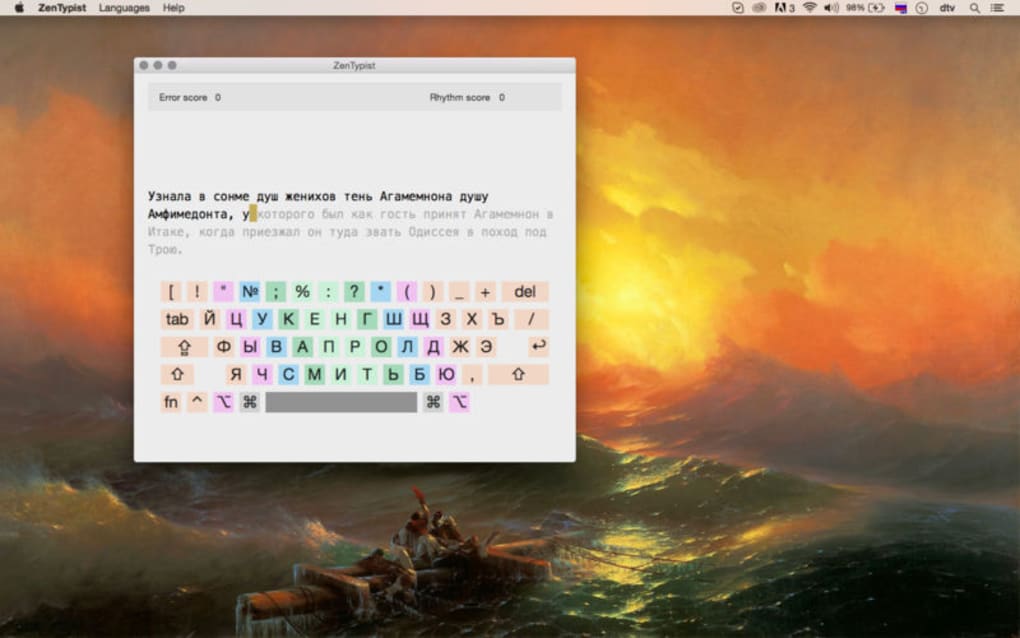
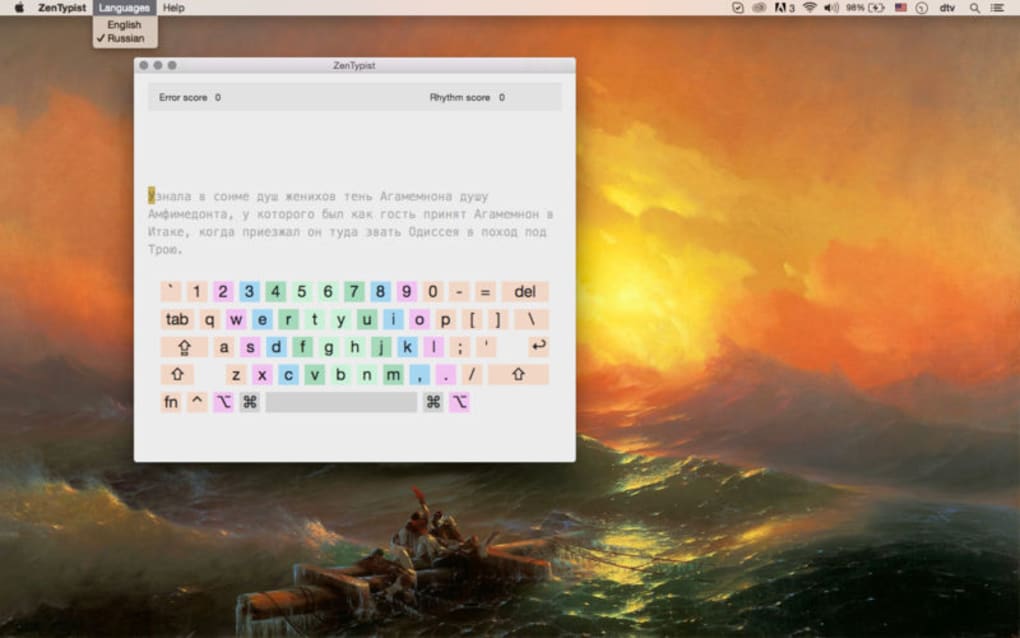
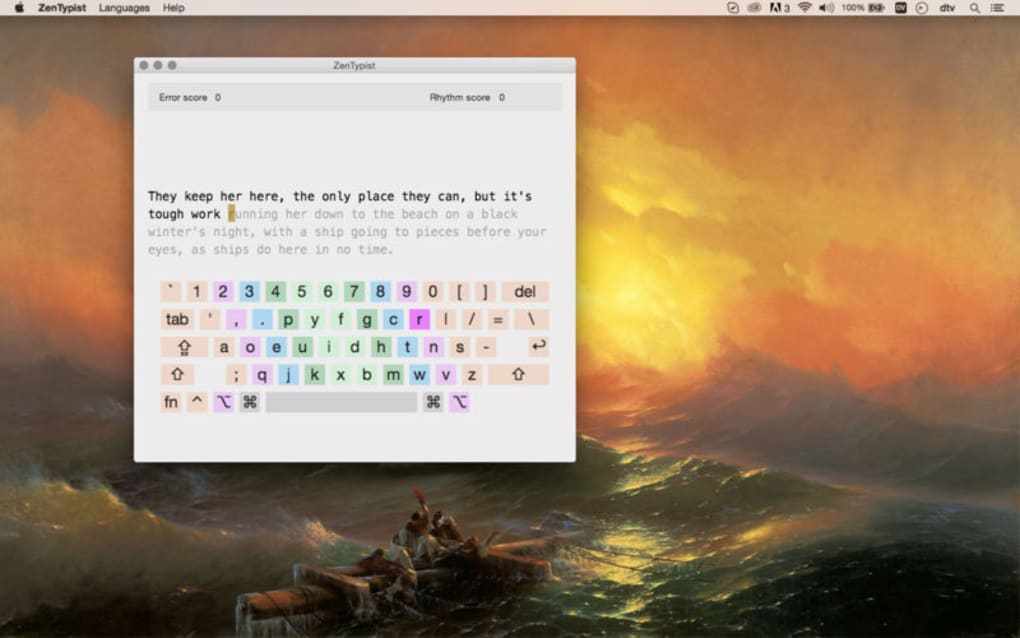

Download ZenTypist – Free Typing Accuracy Trainer for Windows, Mac, Android & iOS
Overview – Why ZenTypist Stands Out in the Typing‑Improvement Landscape
In a world where speed is often celebrated, ZenTypist takes a refreshing detour by putting accuracy at the heart of its training philosophy. Designed for students, professionals, and anyone who spends long hours at a keyboard, ZenTypist offers a calm, distraction‑free environment that encourages deliberate practice. Unlike conventional typing apps that chase higher words‑per‑minute (WPM) scores, ZenTypist presents short passages of text and challenges you to reproduce them with pinpoint precision. The moment you make a mistake, the app highlights the error, allowing you to correct it instantly and internalize the correct keystroke pattern. This focus on error‑free typing not only reduces the habit of developing bad muscle memory but also translates into fewer typos in real‑world documents, emails, and code.
The user interface embraces a minimalist aesthetic—soft pastel backgrounds, gentle typing sounds, and an optional “Zen mode” that removes all on‑screen clutter. Whether you’re on a desktop, laptop, tablet, or smartphone, ZenTypist adapts to your screen size while preserving the same tranquil experience. The app is completely free, with optional in‑app purchases that unlock additional lesson packs or a premium “focus timer” feature. Regular updates ensure that the text library stays fresh and that any security patches are promptly applied, keeping your data safe and your practice sessions uninterrupted.
Beyond the core typing drills, ZenTypist integrates subtle analytics that track your error patterns over time. You can view charts that show which letters, digraphs, or punctuation marks cause the most trouble, enabling targeted practice. The app also supports multiple languages, making it a versatile tool for bilingual users or those learning to type in a new script. By emphasizing precision over raw speed, ZenTypist helps you build confidence, reduce stress, and ultimately become a more effective communicator in the digital age.
Key Features that Make ZenTypist a Precision‑Focused Typing Tool
- Accuracy‑First Engine – The core algorithm flags every mistyped character in real time, pausing the lesson until the error is corrected, ensuring you internalize the correct keystroke.
- Minimalist Zen Mode – Removes timers, scores, and distractions; you see only the passage and your input, fostering a calm learning environment.
- Dynamic Text Library – Hundreds of curated paragraphs ranging from classic literature excerpts to modern tech articles, refreshed monthly.
- Error Analytics Dashboard – Visual graphs highlight recurring mistakes, letter‑pair trouble spots, and progress over weeks.
- Multi‑Platform Sync – Your progress, preferences, and custom lesson packs sync across Windows, macOS, Android, and iOS via secure cloud storage.
- Custom Lesson Builder – Import your own text files or paste custom passages to tailor practice to your profession (e.g., coding snippets, legal clauses).
- Multi‑Language Support – English, Spanish, French, German, and Japanese keyboards are fully supported, with language‑specific error tracking.
- Focus Timer (Premium) – Set timed “focus sprints” that combine accuracy drills with short breaks, based on the Pomodoro technique.
- Secure Updates – Automatic, signed updates protect against tampering and guarantee a smooth, bug‑free experience.
- Free Core Version – All essential accuracy tools are available at no cost; optional premium add‑ons are transparent and non‑intrusive.
Each feature is built with the user’s mental bandwidth in mind. For instance, the Accuracy‑First Engine doesn’t just highlight errors—it also provides a tooltip with the correct key placement on a standard QWERTY layout, helping beginners develop proper finger positioning. The Error Analytics Dashboard aggregates data over 30‑day intervals, giving you a clear picture of improvement trends without overwhelming you with raw numbers. In Zen Mode, the background subtly shifts to a calming hue based on the time of day, reducing eye strain during late‑night practice sessions.
Developers of ZenTypist have also prioritized accessibility. The app supports screen‑reader navigation, high‑contrast themes, and adjustable font sizes. Keyboard shortcuts let power users switch between lessons, toggle Zen Mode, or open the analytics panel without reaching for the mouse. All these features work together to create a cohesive ecosystem that encourages precise typing habits while respecting the user’s comfort and workflow.
Installation, Usage Guide, System Compatibility, Pros, Cons and Frequently Asked Questions
Step‑by‑Step Installation
Downloading ZenTypist is straightforward. Visit the official website or your device’s app store, locate “ZenTypist – Typing Accuracy Trainer,” and click the Download button. The installer size is under 30 MB for desktop platforms and under 20 MB for mobile devices, ensuring a quick download even on slower connections. Once the file is saved, run the installer (Windows) or open the .dmg package (macOS) and follow the on‑screen prompts. Mobile users simply tap “Install” and grant the necessary permissions for storage access, which the app uses only to save your custom lesson files.
After installation, launch ZenTypist. The first launch triggers a brief onboarding wizard that asks you to choose your preferred language, set your initial difficulty (beginner, intermediate, advanced), and optionally link a free cloud account for progress syncing. This wizard completes in under two minutes, after which you land on the main dashboard ready to start typing.
How to Use ZenTypist Effectively
Begin by selecting a lesson from the “Library” tab. Each lesson displays a paragraph in a scroll‑free window; your typing area appears directly below. As you type, any mismatch is instantly highlighted in red, and the cursor jumps back to the erroneous character. Correct it, and the lesson resumes. Over time, you’ll notice fewer interruptions, indicating improved accuracy.
For users seeking structure, the “Practice Plan” feature lets you schedule daily sessions, set target accuracy percentages (e.g., 95 % before moving to the next level), and track streaks. The built‑in “Focus Timer” (premium) can be activated to run 25‑minute accuracy sprints followed by a 5‑minute break, aligning with proven productivity methods.
System Compatibility
ZenTypist runs on the following operating systems:
- Windows 10, Windows 11 (64‑bit)
- macOS 12 Monterey and later (Intel & Apple Silicon)
- Android 8.0 Oreo and newer
- iOS 13 and newer (iPhone & iPad)
The application requires at least 2 GB of RAM and 100 MB of free disk space. It supports both dark and light system themes, automatically adapting to your OS preferences.
Pros and Cons
- Pros
- Laser‑focused on accuracy rather than speed, reducing bad typing habits.
- Clean, distraction‑free UI with optional Zen Mode.
- Comprehensive error analytics that guide targeted practice.
- Cross‑platform syncing keeps your progress unified.
- Free core version with transparent premium upgrades.
- Regular content updates keep lessons fresh.
- Strong accessibility options for diverse users.
- Cons
- No built‑in speed‑test module for users who also want WPM data.
- Premium features (Focus Timer, extra lesson packs) require a subscription.
- Desktop version lacks a built‑in auto‑update notifier; users must check manually.
Frequently Asked Questions
Is ZenTypist completely free or does it contain ads?
The core application is 100 % free and contains no advertisements. Optional premium add‑ons, such as extra lesson packs or the Focus Timer, are offered via a one‑time purchase or subscription, but they never interfere with the free experience.
Can I import my own text files for practice?
Yes. ZenTypist includes a “Custom Lesson Builder” where you can upload plain‑text (.txt) files or paste any paragraph directly. This feature is available on all platforms and syncs via the cloud if you are logged in.
Does ZenTypist work offline?
After the initial download and optional lesson pack installation, ZenTypist functions fully offline. Cloud sync and content updates require an internet connection, but the core typing exercises are available without it.
How does ZenTypist protect my data and privacy?
All cloud‑synced data is encrypted with TLS 1.3 during transmission and stored using AES‑256 encryption on the server. The app does not collect personal information beyond the optional email used for syncing.
Is there a way to track my progress over time?
Yes. The built‑in “Analytics Dashboard” visualizes your accuracy percentages, error types, and session frequency over daily, weekly, and monthly periods. You can export these reports as CSV files for deeper analysis.
Review Summary: ZenTypist excels at turning the often‑overlooked skill of typing accuracy into an engaging, data‑driven experience. Its minimalist design, cross‑platform support, and insightful analytics make it a top choice for anyone serious about typing without the noise of WPM contests. While the absence of a dedicated speed test may disappoint users seeking a full‑suite typing suite, the focus on precision more than compensates, delivering measurable improvements in real‑world typing tasks.
Conclusion – Should You Download ZenTypist Today?
If you’ve ever found yourself plagued by frequent typos, missed punctuation, or a lingering lack of confidence when drafting emails, ZenTypist offers a targeted solution that goes beyond the traditional speed‑centric approach. By rewarding error‑free typing and providing concrete feedback, the app helps you develop muscle memory that translates directly into clearer, more professional written communication. Its free core version ensures that anyone can start improving immediately, while the optional premium add‑ons give power users the flexibility to expand their practice toolkit.
With seamless compatibility across Windows, macOS, Android, and iOS, you can keep your training consistent whether you’re at the office, at home, or on the move. The secure, regularly updated architecture guarantees a safe environment for your data, and the built‑in analytics empower you to track progress with precision. Whether you’re a student aiming for flawless essays, a programmer looking to reduce syntax errors, or a business professional who values polished correspondence, ZenTypist is a worthwhile addition to your productivity arsenal.
Ready to type with confidence? Download ZenTypist now and start your journey toward error‑free typing today. Your future self will thank you for the clarity and professionalism you’ll gain with each keystroke.







